Installed in minutes. Configured per feature.
Ordo is a regular Magento 2 module via Composer — no extra services to stand up, no external account to create. Every feature has its own toggle, so you turn on exactly what you need.
See it in action
The actual Flow canvas in the Magento admin — not a mockup.
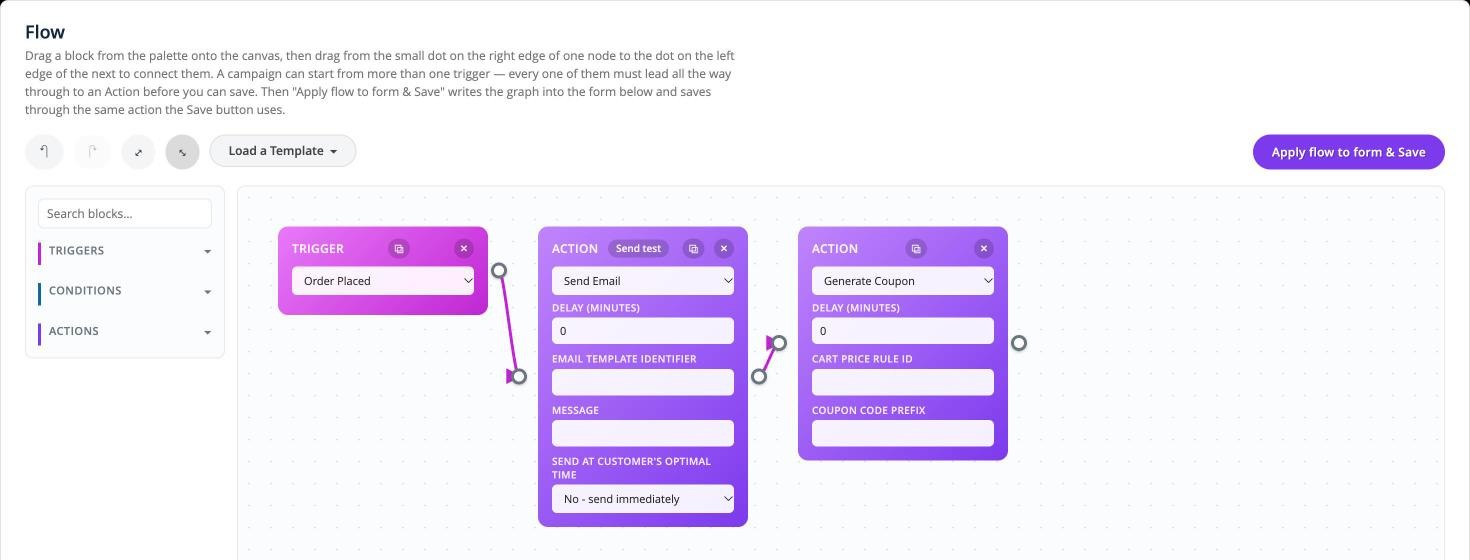
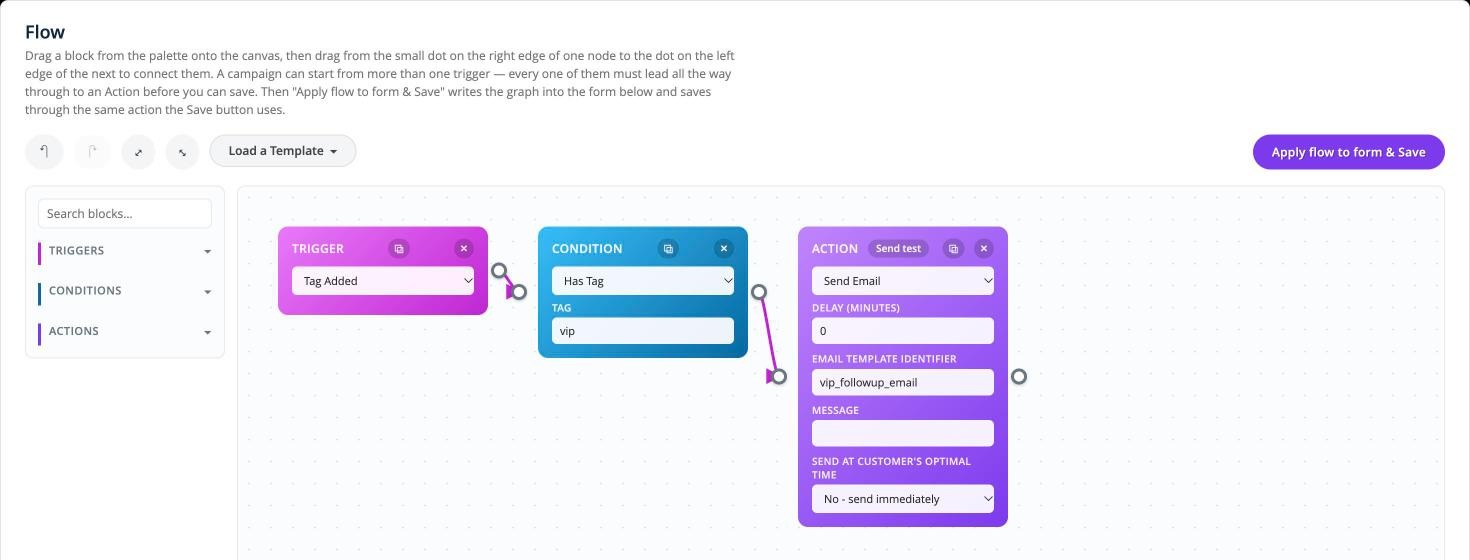
Drag a block from the palette onto the canvas, connect nodes by dragging from one dot to the next, then "Apply flow to form & Save." No code, no YAML — the canvas is the campaign.
Quick install
From a Magento 2.4.8/2.4.9 root, PHP 8.3+.
bin/magento module:enable Ordo_Automation
bin/magento setup:upgrade
bin/magento cache:flush
Then go to Stores → Configuration → Ordo Automation and switch on the features you want — abandoned cart, reorder reminders, credit limit alerts, and the rest each have their own section and their own cron schedule.
Where to go next
The full reference lives in the GitHub repo — this page is the quick-start, not a mirror of it.
README
Full feature list, compatibility notes (Hyvä, multi-store), and the install/config walkthrough.
Read the README ↗Architecture
How the campaign engine, trigger/condition/action pools, and queue dispatch fit together.
docs/ARCHITECTURE.md ↗Wiki
Feature-by-feature pages — one trigger, condition, or action type explained in depth at a time.
Browse the wiki ↗Architecture Decision Records
Why a non-obvious design was chosen, and the trade-off it accepted — one record per decision.
Browse ADRs ↗Issues & questions
Found a bug, or want a feature that isn't there yet? Open an issue on GitHub.
GitHub Issues ↗Prefer to ask a human?
Send a message and I'll get back to you — no ticket system, just email.